
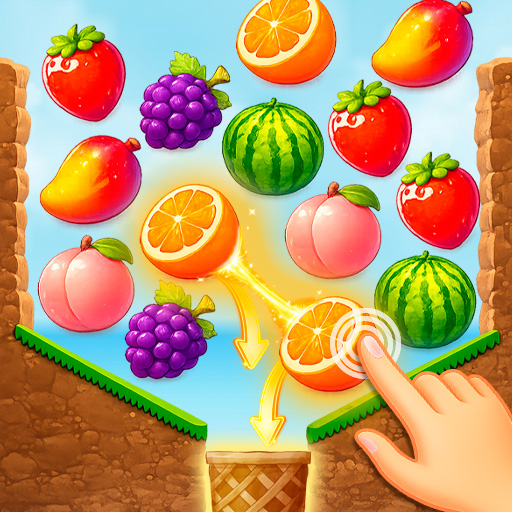
Fruit Match
Fruit Match is listed as a Merge game. Fruit Match is a satisfying matching game that challenges you to connect, combine, or remove identical items while clearing crowded boards, unlocking new stages, and planning efficient chains of moves. The recorded platform is Web browser (PC, mobile phones and tablets).
Play Fruit Match
Controls
- In Fruit Match, mouse: Click or drag game elements to select, move, match, or interact with them.
- Touchscreen: Tap or swipe directly on the objects and buttons shown on screen.
- Keyboard: Some menus may support Enter, Space, or arrow keys, but the game is mainly pointer-controlled.
Related games




About Fruit Match
- The primary category for Fruit Match is Merge.
- Alternate title: Fruit Match.
- Developer listed in the source data: GameBerry Studio.
- Publisher listed in the source data: GameBerry Studio.
- Listed release year: 2026.
- Listed platform: Web browser (PC, mobile phones and tablets).
- Listed screen orientation: landscape.
- Source tags: fruits,matching,relaxing,summer.
- In Fruit Match, identify matching items and connect, combine, or remove them according to the board rules. The basic actions are simple, but efficient choices produce much better results.
- New levels introduce denser layouts, limited moves, or obstacles that make obvious matches less useful. Creating chains and opening blocked spaces helps maintain steady progress. The simple rules make the game accessible, while the later challenges reward careful play.
- Look across the whole board before acting and prioritize matches that create follow-up opportunities. Keeping useful pieces close together makes later objectives easier to complete.
How to play Fruit Match
- To play Fruit Match, select, connect, or combine matching items according to the board rules. Look for pairs or groups that can be removed without blocking future moves.
- Open crowded sections first and use chain reactions or bonus pieces when they appear. Keep the board organized so new matches remain available.
- Complete the required number of matches or clear all target pieces before the move or time limit ends.
Tips
- In Fruit Match, look across the entire board before choosing a pair or group so you do not block better moves.
- Open crowded or locked sections early because they reduce your available options.
- Save bonus items for moments when the board has few natural matches left.
FAQ
What is Fruit Match?
Fruit Match is a satisfying matching game that challenges you to connect, combine, or remove identical items while clearing crowded boards, unlocking new stages, and planning efficient chains of moves.
What category is Fruit Match in?
Fruit Match is listed in the Merge category.
What controls are listed for Fruit Match?
Listed controls: In Fruit Match, mouse: Click or drag game elements to select, move, match, or interact with them., Touchscreen: Tap or swipe directly on the objects and buttons shown on screen., Keyboard: Some menus may support Enter, Space, or arrow keys, but the game is mainly pointer-controlled..
Who developed Fruit Match?
The source data lists GameBerry Studio as the developer.